Ana answers now come with their work shown, inline. When you come across a key number, name, or claim, hover over the citation to find the exact source that produced it. Click into it to explore further.
The Biggest Change: Citations with Data Lineage
Importantly, the sources represented in the citation also show the full lineage of where they were produced: how they connect through the ontology, where derived fields came from, and how calculations were built.
When drilling into a citation, you'll see that Ana traces it back through its full provenance chain:
Connector → Tables → SQL query → Python transform → Answer
The chain is a visual map of exactly how a number was derived, end to end: the specific tables that were read, the exact SQL that aggregated them, the Python that reshaped the result, and the answer that came out the other side. You can see the whole derivation in one view and inspect any step.
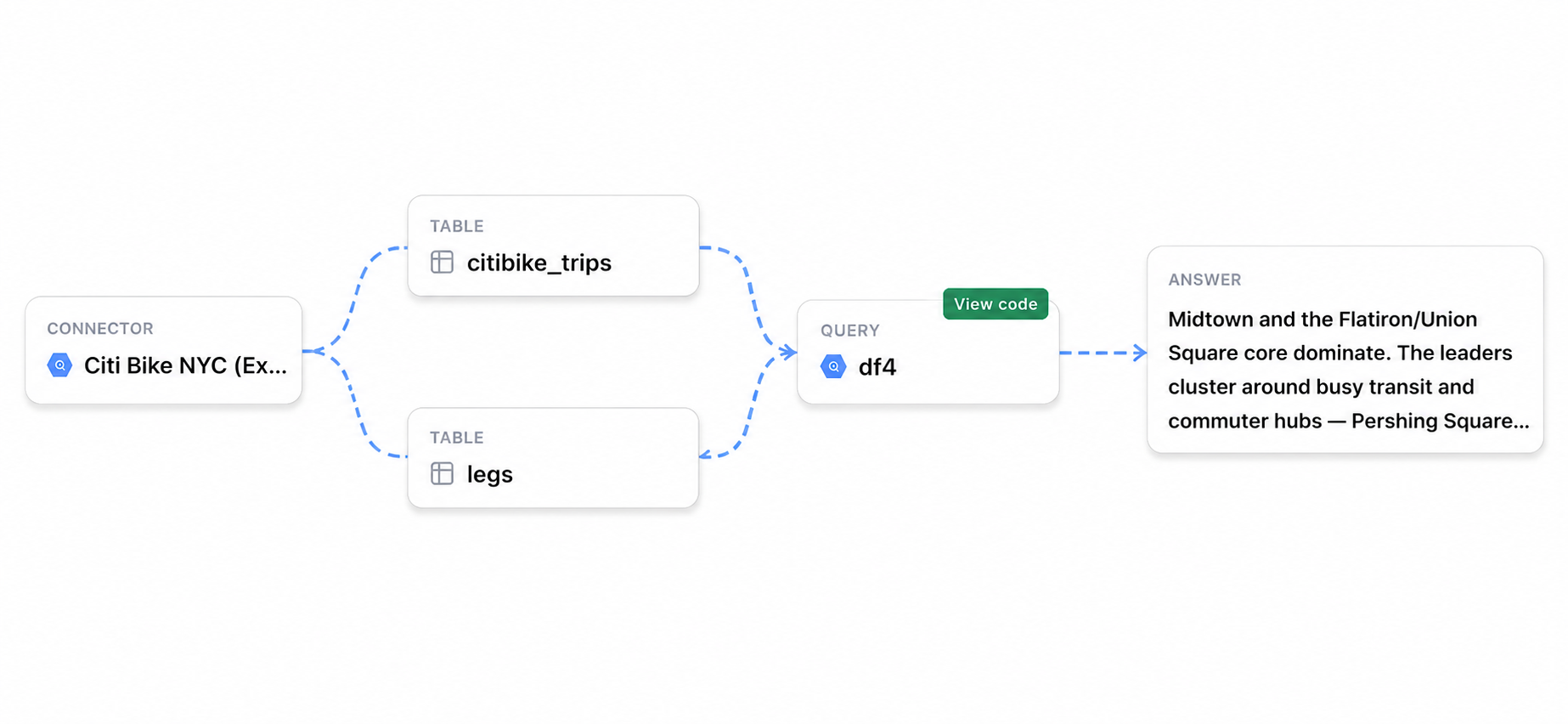
Lineage makes every answer auditable. Any number Ana produces can be traced back to its exact source: the query, the tables, the transform. When a result needs to be defended or verified, the chain is there. When something looks off, you do not have to guess at what Ana did. The chain shows you exactly which step to look at.
Turn Citations on by enabling the Citations toggle in Settings.